A reverse chronological resume template is a pre-formatted layout that lists your most recent job first and works backward through your career. It's the most common, recruiter-preferred, and ATS-friendly resume format which is why it's the safest choice for most job seekers. This guide explains what it is, how to build one step by step, when to use it (and when not to), the best industries for it, its pros and cons, and answers the questions people ask most.
Key Takeaways
- A reverse chronological resume lists your most recent role first, then earlier roles in descending order.
- It's the most popular, ATS-friendly, and recruiter-preferred format across nearly every industry.
- It works best when you have a steady work history relevant to the job.
- Consider a functional or combination format instead if you have big gaps or are changing careers.
What Is a Reverse Chronological Resume Template?
A reverse chronological resume template is a ready-made layout that organizes your experience with your current or most recent position at the top, followed by previous roles in reverse order. Because it leads with where you are now and shows your career progression clearly, it's the format hiring managers see most often and understand fastest.
A quick note on naming: "chronological" and "reverse chronological" resume templates are essentially the same thing. Both list your experience by date, starting with your newest role so the terms are used interchangeably. (A strictly "oldest-first" resume is almost never used in practice.)
This format is fully compatible with applicant tracking systems (ATS), which is a major reason it remains the default for most applications.
Why Use a Reverse Chronological Resume Template?
There's a reason this format is the industry standard:
- It highlights your most recent experience first — exactly what employers care about most.
- It shows clear career progression — your growth and advancement are easy to follow.
- It's ATS-friendly — clean structure and standard headings parse and rank well in automated screening.
- It's familiar to recruiters — no friction, no guesswork; they know where to look.
Because of these advantages, reverse chronological templates are considered the safest, most effective choice across most industries.
Reverse Chronological Resume Template Styles (Examples)
The reverse chronological format fits almost any design. The right template style depends on your industry and how much personality you want to show. Here are the most effective styles for this format:
1. Streamlined & Elegant (Ayra)
A clean, refined template that uses small pops of color to draw the eye to your past employers and employment dates — so a hiring manager understands your work history at a glance. Readable, visually engaging, and professional enough for any type of company.
- Best for: almost anyone who wants a polished, versatile look.
2. Plain ATS / Traditional (ATS)
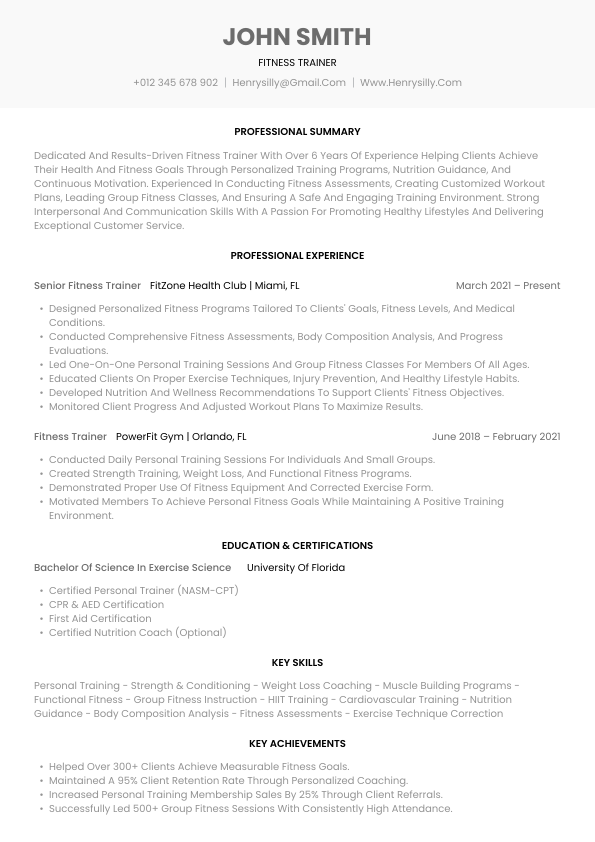
The simplest, most stripped-back style no icons, graphics, or flashy colors built to sail through ATS screening every time. Sleek and classic in every sense.
- Best for: conservative employers or when you want 100% certainty your resume parses cleanly.
3. Corporate Two-Column (Corporate)
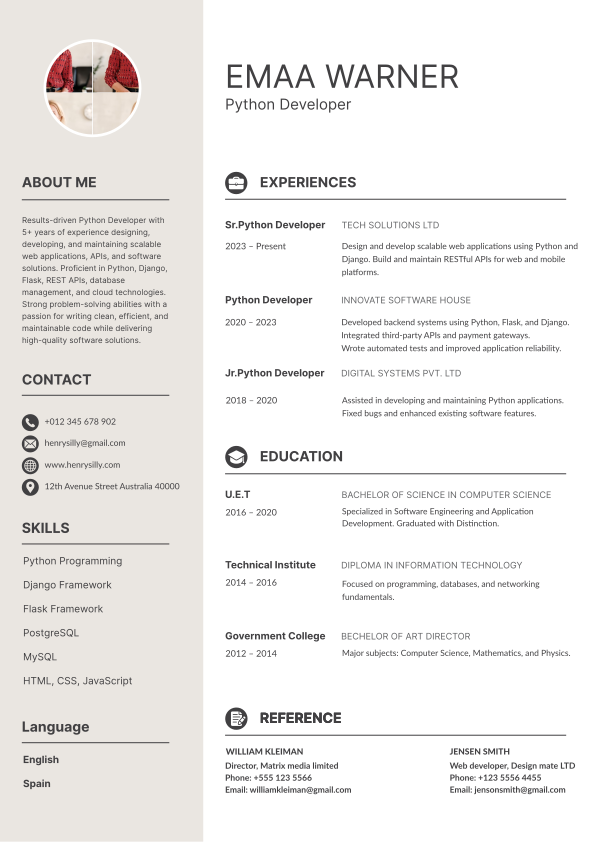
A business-oriented layout with a two-column structure and classic, readable fonts. Employment dates are set apart so the reverse chronological order is easy to follow.
- Best for: finance, law, and other traditional industries where design shouldn't skew creative.
4. Modern with Color Accents (Monte)
Strikes a balance between a traditional layout and more creative font and color choices, with dates set apart for easy reading. Adds a touch of personality without looking chaotic.
- Best for: candidates who want a classic structure with a little individuality.
5. Compact Two-Column (One-Page) (Vida)
Uses a two-column layout and smart, sparing pops of color to fit more information onto a single page without looking cluttered.
- Best for: experienced applicants aiming to keep everything on a clean one-page resume.
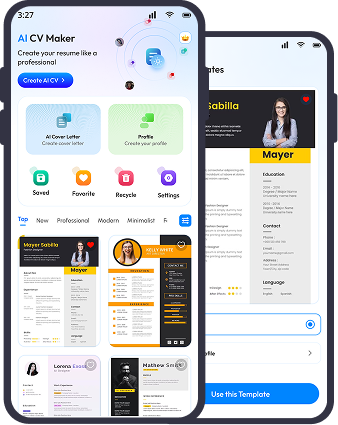
Whatever style you choose, the underlying structure stays the same most recent experience first. You can pick a reverse chronological template and customize it in the AI Resume Builder.
How to Make a Reverse Chronological Resume (Step by Step)?
Building one is straightforward when you follow a clear structure. Most templates guide your content into the right order automatically.
Step 1: Add Your Contact Information
Start with your full, searchable name as the largest text on the page, followed by your phone number, a professional email address, your city and state (no full home address needed), and optionally your LinkedIn or portfolio link. Recruiters spend only seconds scanning, so make it instantly clear whose resume this is.
Step 2: Write a Resume Summary
Add a short 2–4 line summary highlighting your experience, key skills, and career focus so employers grasp your value fast. It's optional in this format, but a strong one helps — especially for senior roles or a career change.
Step 3: List Your Work Experience (the Most Important Section)
Starting with your most recent role and working backward, include for each position:
- Company name
- Job title
- Employment dates (month and year)
- Bullet points covering achievements and responsibilities
Quantify wherever you can — revenue growth, performance metrics, team sizes, or other measurable results. To make it sharper, you can even split this into "Relevant Work Experience" (roles most related to the job) and a general "Work Experience" section.
Step 4: Add Your Education
List your degrees, then training and certifications also in reverse chronological order. Skip your high school diploma once you've attended college, unless it's directly relevant. (See how to list education on a resume.)
Step 5: Highlight Your Skills
Add a skills section tailored to the job description, focusing on relevant, job-specific abilities. Start from the best skills to put on a resume.
Step 6: Keep Formatting Consistent
Use the template's structure to keep fonts, spacing, and bullet styles consistent across every section. Consistency improves readability and looks professional.
Pro tip: Even with a template, tailor your experience and skills to each job posting — customization is what makes you stand out. Here's how to tailor your resume.
Design Tips for the Best Reverse Chronological Resume
The format works with almost any design — the trick is matching it to your industry.
- Design: Use a clean, traditional design (no flashy graphics) for conservative fields like finance or law; a more modern design suits creative and tech roles.
- Font: Stick to classic, readable fonts — Calibri, Arial, Helvetica, Lato, or Times New Roman. Body text at 12pt (10.5pt minimum to fit one page), with larger sizes for your name and headings. ATS doesn't care about the font as long as it's a standard serif or sans-serif.
- Color: White background, black text, and one accent color used sparingly muted blue, green, or dark red work well. Avoid flashy colors.
- Layout: A two-column layout can help you fit everything on one page, which recruiters prefer. Keep your name at the top and your work experience section prominent.
- Achievements: List achievements within your experience bullets, or in a separate section for emphasis. Always include the time frame, scale, and result.
When to Use a Reverse Chronological Resume Template
This format is the right call in most situations but not all.
Use It If:
- You have a steady work history with minimal gaps.
- You're applying within the same industry or field.
- Your most recent experience is your strongest selling point.
- You want a format that's ATS-friendly and widely accepted.
- You're a student organizing limited experience simply and clearly.
Consider Another Format If:
- You have significant employment gaps.
- You're making a major career change.
- Your past roles are not directly relevant to the target job.
- You're just starting out and this format would spotlight your lack of experience.
In those cases, a functional or combination resume may serve you better.
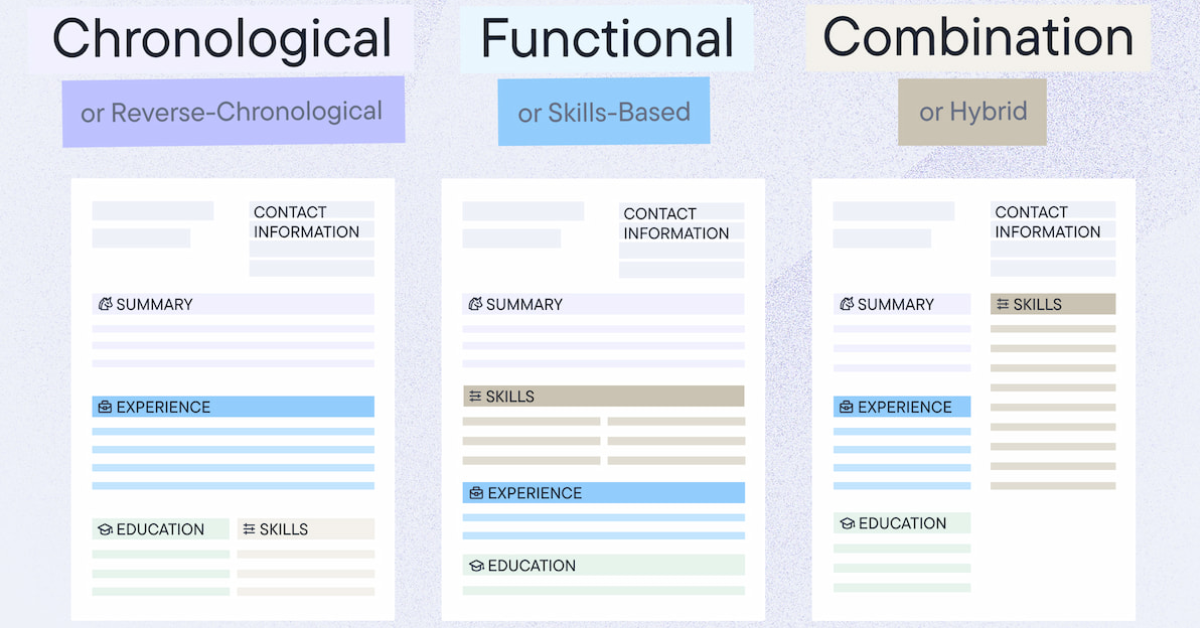
Reverse Chronological vs Other Resume Formats
| Format | Focuses on | Best for |
|---|---|---|
| Reverse Chronological | Work experience, newest first | Steady histories, same-field applications (most people) |
| Functional | Skills over work history | Career changers, big gaps, limited experience |
| Combination | Skills and experience equally | Those with strong skills and solid history |
For most job seekers, the reverse chronological template is the safest and most effective choice because it matches how recruiters and ATS evaluate candidates.
Best Industries for a Reverse Chronological Resume Template
It works everywhere, but it's especially expected in fields that value a clear, structured career history:
- Finance and Accounting — employers prioritize progression and stability.
- Sales — recent, measurable results are what matter.
- Administration — clear timelines show reliability.
- Manufacturing and Operations — work history and technical experience are critical.
- Healthcare and Pharmaceuticals — certifications, roles, and progression must be easy to follow.
It's equally accepted in technology, startups, marketing, media, and even creative roles the familiar structure works in almost every field. It matters most when applying to companies that use ATS, follow traditional hiring practices, or review a high volume of resumes.
Reverse Chronological Resume Template: Pros and Cons
Pros
- The most common format — most recruiters prefer it and read it fastest.
- Draws attention to your work experience and career advancement.
- The easiest format for ATS to parse, since experience sits at the top.
- Works for virtually any job seeker, and is student-friendly.
Cons
- Not ideal if you have noticeable gaps in your work history.
- A weak fit when applying to a field where you lack prior experience.
- If you're just starting out, it can emphasize your limited experience.
Frequently Asked Questions
Is a reverse chronological resume template the best format?
For most job seekers, yes. There's no single "best" template, but hiring managers are most familiar with this format and prefer it, and almost anyone can use it. It highlights recent experience and works well with ATS.
Do ATS systems prefer reverse chronological resumes?
Yes. Most ATS are designed to read this format easily thanks to its clear structure and standard headings, which helps your resume parse and rank correctly.
What's the difference between chronological and reverse chronological resumes?
In practice they're the same both list experience by date starting with your most recent role. A true "oldest-first" layout is rarely used, so the terms are interchangeable.
What's the difference between a reverse chronological and a functional resume?
A functional resume organizes your background by skills rather than specific roles; a reverse chronological resume focuses on work experience and education listed newest first.
Can I use a reverse chronological resume template with no experience?
Yes, by focusing on education, internships, and projects but if your experience is very limited, a functional or combination format may present you better. See how to write a resume with no experience.
How far back should a reverse chronological resume go?
Generally 10–15 years. List every relevant role from the last decade; beyond that, include only recent, relevant positions and drop outdated ones.
Is this format good for a career change?
It can work if you have relevant transferable experience. If your past roles aren't closely related to your new path, a combination or functional resume may highlight your skills better.
The Bottom Line
A reverse chronological resume template is the format most recruiters expect and most ATS read best leading with your most recent experience and showing clear career growth. Build it with your strongest, most recent work up top, keep the formatting clean and consistent, and tailor it to every job. For the vast majority of applicants, it's the smartest, safest choice.
Ready to build one? Create your resume with AI AI Resume Lab formats your experience in a clean, ATS-friendly reverse chronological layout, and you can learn what makes a resume stand out to sharpen every section.