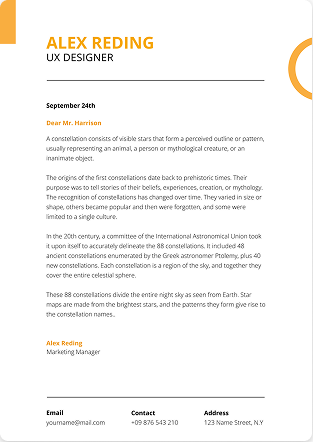

Tailoring your resume to a job description means customizing each section of your resume to match the specific requirements of a particular job posting. Instead of using a generic resume for every application, you highlight the skills, experiences, and achievements that are most relevant to that employer’s needs. Career experts agree this is crucial: Indeed notes that “the best way to get noticed as a candidate is to tailor your resume to the employer’s job description”.
In practice, tailoring involves studying the job description, identifying its keywords (skills, qualifications, duties), and mirroring them in your resume’s summary, skills list, and work history. Process shows both human recruiters and Applicant Tracking Systems (ATS) that you are a strong match for the role.
A tailored resume not only makes you stand out, but it also helps you pass automated filters. Most large employers use ATS software to scan resumes for keywords. If your resume uses the same terms as the job description (for example, listing required software, certifications, or roles), the ATS is more likely to rank you higher. In short, tailoring your resume means thinking of the employer’s perspective: demonstrate how your background meets the job’s requirements using their language.
Why Tailoring Your Resume Matters?
Sending a generic resume for every application is a quick way to be passed over. In today’s competitive market, hiring managers often skim dozens or hundreds of resumes in minutes. A tailored resume immediately signals that you’re not just qualified, but the right fit for the specific role. For example, the Addison Group emphasizes that aligning your experience with the job description shows “you’re a great fit” and puts your most relevant achievements front and center.
Genuine Interest
Moreover, tailoring shows genuine interest. Customizing your application demonstrates that you took the time to understand the company’s needs and are truly enthusiastic about this job. It can also boost your confidence: by focusing on the skills the employer cares about, you’ll see that you meet many of their requirements.
Pass automated filters
Tailoring helps you pass automated filters. As Addison Group notes, “if your resume doesn’t include these keywords [from the job description], it may never reach a hiring manager’s eyes”. By using the exact terms and phrases in the posting (from required skills to job titles), you increase the chance that an ATS will select your resume for review. In summary, a well-tailored resume signals fit, beats the robots, and grabs attention, making it one of the most effective ways to improve your job search results.
Understanding Applicant Tracking Systems (ATS)
Before diving into the tailoring process, it’s important to know how ATS works. Many employers use ATS software to pre-screen resumes. These systems scan your resume text for specific keywords and qualifications. According to the University of Arizona Career Center, “an ATS will likely read your resume before it reaches a recruiter”, so matching the language of the job description is crucial.
ATS keywords typically include required skills, education, certifications, and industry terms. For example, if a job posting requires “PMP certification” and “Agile project management”, listing those exact phrases on your resume helps the ATS flag you as qualified. Indeed’s ATS guide explains that keywords identify candidates with the right “education, skills, [or] experience”. When tailoring, look for these role-specific words in the description.
Keep in mind also how ATS “reads” the resume: avoid fancy formatting like tables, graphics, columns or headers that ATS can’t parse. Use a clean layout, standard fonts, and save in an accepted format (PDF is usually okay, but if in doubt, DOCX or plain text is safest). In general, the more exactly your resume matches the words and order of the job posting, the better. However, always keep it honest and readable; both the software and the human reviewer check for authenticity.
How to Compare Your Resume to the Job Description?
- A practical way to tailor is to directly compare the job description (JD) with your resume. First, copy or write down each key requirement or skill listed in the JD.
- Then, scan your resume for those words. Do you mention each skill? If not, think of where it fits. For example, if the JD repeatedly emphasizes “communication skills” and “project management,” make sure those terms appear in your summary or in at least one bullet point.
- If they use a specific job title (e.g. “Sales Manager”), try to use that title in your resume where relevant (you can list your actual title and add the equivalent title in parentheses).
Priority Order of Responsibilities
Note the priority order of responsibilities. Indeed points out that duties listed at the top of a job listing are often the most important. Mirror this by putting your most relevant achievements first. You might even make a two-column table (mentally or on paper) with “Job Description” on one side and “My Resume” on the other. For each JD point, jot how your experience maps to it. This makes gaps obvious.
Exact Phrasing
Remember that exact phrasing can matter for ATS. If the JD says “Bachelor’s degree in Engineering”, use that phrase exactly (or “B.S. in Engineering”) instead of a synonym like “Engineering graduate”. According to Indeed, matching abbreviations and spelling is important. For instance, if the JD spells out “Master’s degree”, spell it out rather than “M.S.”. This ensures the ATS recognizes the keyword.
Step-by-Step Guide to Tailoring Your Resume
Read the Job Description Carefully
Begin by reading the entire job posting from top to bottom. Highlight or underline keywords related to skills, tools, education, and responsibilities. Note qualifications (e.g. “5 years’ experience in marketing”), required certifications (e.g. “CPA license”), and any action words (verbs) used. If certain skills or concepts are mentioned multiple times or very early, treat them as priorities. For example, if a role stresses “team leadership” and “communication skills,” you’ll want those exact phrases in your resume.
Customize Your Summary (or Objective)
Your summary/introduction is one of the first things a hiring manager sees, so make it count. Rewrite your professional summary to include the job title and key phrases from the JD. For instance, say you’re applying for a “Social Media Marketing Specialist” role that mentions “initiative,” “web marketing,” and “SEO.” You could write:
“Self-motivated Social Media Marketing Specialist with over three years of experience in web marketing and SEO, known for taking initiative on projects and developing strategies that boosted organic traffic by 25%.”
This example (from Indeed) shows how to mirror the posting’s language in your summary. You immediately signal that you meet the main requirements. Always keep this section concise and focused on the most relevant highlights.
Align Your Work Experience
Go through each past job or role in your Experience section and tweak the details to fit the new position. If you have a “Master” resume, create a copy and then prune or prioritize entries. Remove or minimize any jobs that are unrelated to the target role. LinkedIn career experts suggest even splitting your history into a “Relevant Experience” section for high-priority jobs, and an “Other Experience” for the rest.
Within each role, tailor the bullet points. Start each bullet with strong action verbs and keywords from the JD. For example, if the JD emphasizes “leadership” and “team training,” begin a bullet with “Led a team of 8 sales associates and trained new hires in customer engagement strategies…”.
Notice how the bullet uses “led” and “trained,” matching leadership duties. Whenever possible, quantify achievements (“increased sales by 20%” or “managed a portfolio of 50 clients”). Indeed stresses the importance of measurable results: “To further prove yourself… use quantifiable data”, like “increased monthly sales by 10%” instead of vague statements.
Also consider terminology: sometimes you may need to tweak job titles or terms to match industry language. Andrew Seaman on LinkedIn advises that if your old title is unconventional, list it with the standard equivalent in parentheses. This way ATS picks up the right term and human readers understand your role. However, never lie – just clarify.
Update Your Skills and Education Sections
Modify the Skills section to reflect the required and preferred skills from the JD. List the hard skills (software, technologies, tools) first if the job demands them.
For example, if the posting asks for “Python, SQL, and project management,” your skills list should include at least “Python, SQL, project management” in that order. Then add soft skills (“team leadership, communication”) if relevant. Indeed recommends using exact keywords from the job description and including any preferred qualifications (e.g. software or languages).
For Education/Certifications, do the same. If the JD requires a certain degree or license (e.g. “CPA” or “Master’s degree in Engineering”), make sure to list that exactly. Placement matters too: put these keywords in the summary and education section as needed. Indeed’s ATS tips also say to put keywords in summary, education, experience and skills, in that order.
Final Review and Proofreading
After tailoring, proofread carefully. Ensure there are no typos or formatting errors even small mistakes can disqualify you. Check that you’ve used keywords consistently but naturally. Indeed advises confirming “you used the employer’s keywords and phrases” and that each bullet point aligns with job responsibilities. Read the resume from the hiring manager’s perspective: does it clearly show how you meet their needs?
Verify ATS compatibility:
Remove any resume elements that might confuse scanning software, like fancy fonts, tables, images, or unusual section titles. Keep fonts standard, use bullet points, and save the file in the requested format (DOCX is safest if unsure). Finally, have someone else review it or even use an AI checker.
Many sites and tools (for example, AI Resume Lab ATS checker) can score your resume against the JD and suggest missing keywords. Doing this final check ensures your tailored resume is polished, relevant, and ready to impress both machines and humans.
Example of a Tailored Resume Snippet
For illustration, consider a job posting for a Sales Manager role that lists responsibilities like “lead sales team,” “implement sales strategies,” and qualifications like “5+ years sales management experience,” “B.A. in Marketing,” and “strong communication skills.” A tailored resume summary might read:
“Enthusiastic and results-driven Sales Manager with over five years of experience leading local sales teams and implementing successful strategies to increase revenue. Proven track record of creating and executing sales plans that improved customer acquisition and retention.”
These example (adapted from an Indeed sample) uses the keywords “Sales Manager,” “leading teams,” and “implementing strategies,” which mirror the job ad. Then in the experience section, bullets would focus on relevant details (e.g. “Led a team of 10 sales representatives to consistently exceed quarterly targets,” “Designed sales training programs in collaboration with HR,” etc.), all reflecting the JD language.
Using AI to Tailor Your Resume
Modern AI tools can speed up the tailoring process, though human review is still essential. ChatGPT and other AI assistants can rephrase your content and suggest keywords, but the quality depends on your prompt. The Huntr blog on resume prompts recommends including the job description and your resume in the prompt. For example, one effective prompt is:
“Update my resume using the job description below. Align my achievements with the most important responsibilities and keywords in the posting.”
Prompt tells the AI exactly what to focus on: it will analyze the JD, pick up the critical keywords, and help rewrite your resume content accordingly. Similarly, another prompt suggests asking the AI: “Based on this job description, what keywords should I add to my resume to better match the role?”. This helps you find missing ATS keywords.
You can also use ChatGPT by itself for free. For instance, search for “ChatGPT tailor resume to job description prompt” or “tailor CV to job description AI free” to find community-shared prompts and tools. Many job seekers paste both the job description and their resume into ChatGPT and request revisions. One recommended prompt from Huntr is:
“Tailor my resume to better match this role at [Company Name]. I want to emphasize my experience in [Skill 1], [Skill 2], and [Skill 3]. Here’s the job description and my current resume.”
This clearly tells the AI which skills to highlight. Tools like AI Resume Lab own “Job Tailored Resume” feature (and others) can also automatically score and suggest keyword additions.
Tip: Use AI as a first draft. ChatGPT can save time by generating tailored bullet points or summaries, but always review the output. Adjust the tone to sound like you and ensure all information stays true. As one career coach advises, view AI as “creating a strong first draft” but leave the final 20% for your personal touch.
Common Resume Tailoring Mistakes
- Too much fluff or generic text: Avoid vague phrases like “results-driven professional” without specifics. Make every word count by using real examples and numbers.
- Keyword stuffing: Don’t just sprinkle keywords randomly. Use them logically and only when they match your experience. Overloading your resume with buzzwords can read poorly and hurt your credibility.
- Ignoring the summary/objective: Some job seekers forget to customize their summary. Remember, it’s the hook – tailor it to echo the job title and main requirements.
- Forgetting soft skills and culture fit: While skills are key, also integrate soft skills (like “team leadership” or “communication”) that the JD values. Show how you embody the company’s culture or values if mentioned.
- Poor formatting: Using images, columns, or unusual fonts can confuse ATS. Stick to simple, clean design.
- Spelling and grammar errors: These can disqualify you even if you’re a perfect technical fit. Proofread meticulously.
- Dishonesty: Never claim skills or experiences you don’t have. One LinkedIn expert warns that embellishing will “ruin your chances” once discovered. Instead, highlight authentic accomplishments and how they relate.
By avoiding these mistakes and following the steps above, your tailored resume will be compelling and ATS-friendly.
Tailored Resume Checklist
Before you hit send, run through this checklist:
- Read the entire job description and note key qualifications.
- Highlight at least 5–10 keywords (skills, tools, roles) from the posting.
- Ensure your Summary mentions the target job title and top skills.
- Adapt each Experience bullet to include relevant duties/results (use quantifiable metrics).
- List required skills/certifications exactly as in the JD (including abbreviations).
- Use a simple format (no tables/images).
- Check spelling/grammar one final time.
- Consider using an ATS resume checker or AI tool to catch missing keywords.
- Save in the correct file type (e.g. PDF or DOCX as requested).
Completing this checklist helps ensure your resume is fully tailored and polished.
Frequently Asked Questions
Q1: How do I tailor my resume to a job description?
Start by analyzing the job posting: note required skills, experience, and keywords. Then rewrite each resume section to reflect those points. Use the same terminology from the description and put your most relevant qualifications first.
Q2: Can ChatGPT or AI tailor my resume for me?
Yes, AI like ChatGPT can help rephrase and optimize your resume quickly. Provide a clear prompt that includes your current resume content and the full job description. For instance: “Update my resume using the following job description. Align my achievements with the key responsibilities and keywords.”
Q3: Do I need to rewrite my resume from scratch for each application?
Not from scratch, but you should customize it. Maintain a “master resume” with all your information, and then edit a copy for each job. Change the summary, shuffle experience bullets, and add/remove skills so it fits the job description. According to career advisors, sending a few well-tailored resumes is far more effective than blasting many generic ones.
Q4: How do I compare my resume to a job description?
One method is to make two columns (either on paper or in your document): list key points from the JD on one side and your corresponding resume points on the other. Make sure each requirement on the left has a matching accomplishment or skill on the right. Alternatively, highlight keywords in the JD and then Ctrl+F those words in your resume to see if they appear.
Final Words
Tailoring your resume to each job description is one of the most powerful strategies in a job search. By aligning your skills, experiences, and keywords with what the employer is seeking, you demonstrate a clear fit and greatly improve your visibility. As career sites emphasize, “the best way to get noticed as a candidate is to tailor your resume to the employer’s job description”.
Using the steps above analyzing the job posting, customizing your summary and bullets, adding relevant keywords, and proofreading you ensure both the ATS and hiring manager see you as an ideal match. Ultimately, this customized approach saves effort in the long run. In the words of Addison Group, tailoring your resume (even though it “takes extra effort”) is “the single most effective way to increase your chances of landing interviews and job offers.” Keep your resume targeted, concise, and true to your achievements, and you’ll stand out in every candidate pool.