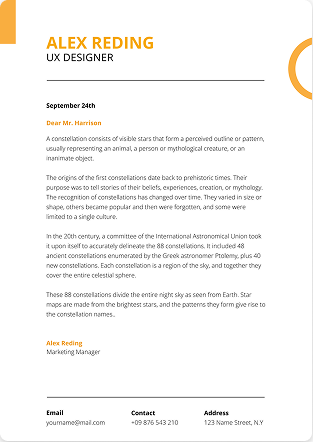
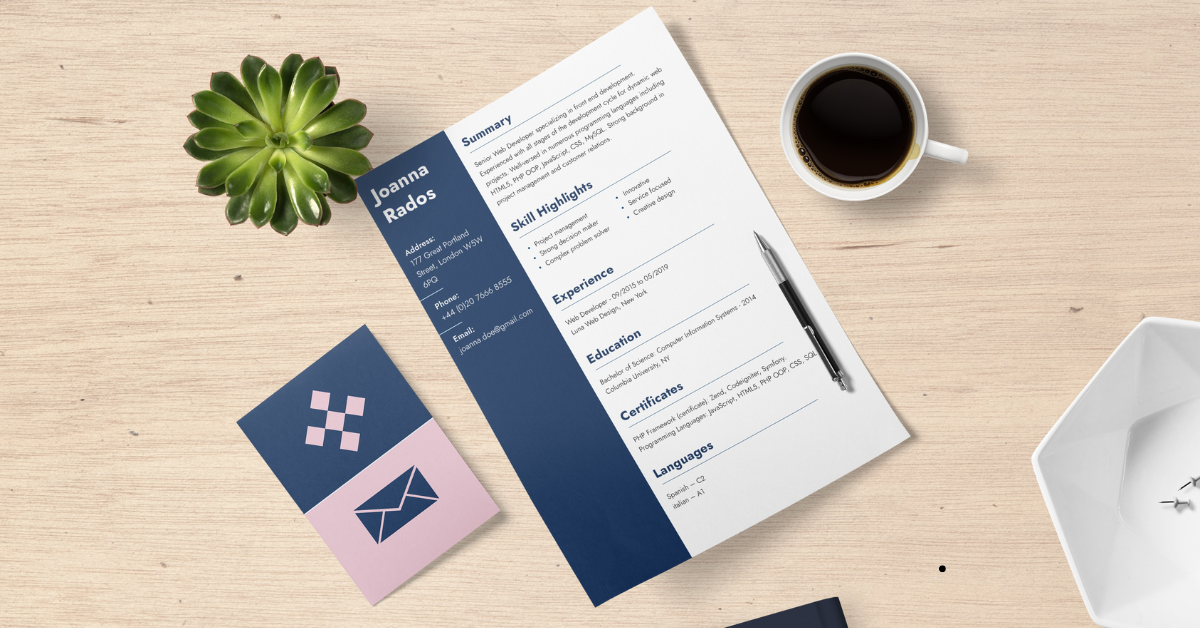
An ATS resume is a resume structured in a simple, machine-readable format so that Applicant Tracking System software can accurately parse your contact details, work history, skills and education, and match them against a job description. It uses standard section headings, a single-column layout, standard fonts, and keywords pulled directly from the job posting no tables, text boxes, images or graphics that break parsing.
Over 98% of Fortune 500 companies and the majority of mid-size employers now filter applications through an ATS before a human ever opens them. That means your resume has two audiences a recruiter and a parser and the parser reads first.
Below guide covers exactly what an ATS resume is, how the software scans and ranks you, which templates and formatting rules actually work in 2026, the key parameters that decide your score, and the power words that make your bullet points lands.
What Is ATS (Applicant Tracking System)?
An Applicant Tracking System (ATS) is recruitment software that collects, parses, stores and ranks job applications. When you hit "Submit," the ATS breaks your resume into structured data fields name, email, job titles, dates, employers, skills, degrees and stores it in a searchable database. Recruiters then search or filter that database instead of reading every resume manually.
Popular systems you'll actually be applying through include Workday, Greenhouse, Lever, iCIMS, Taleo (Oracle), SuccessFactors (SAP), Ashby and BambooHR.
How ATS Systems Scan and Rank Resumes?
The process runs in four stages:
- Ingestion — your file is uploaded and converted to plain text.
- Parsing — the system maps that text into fields. This is where bad formatting kills applications: if your job title sits inside a text box, the parser may record it as blank.
- Keyword & criteria matching — your parsed data is compared against the job requisition (required skills, years of experience, education, certifications, location).
- Ranking or filtering — you're either scored, tagged, or filtered out by knockout questions.
What ATS Actually Looks At?
| Element | What the ATS extracts | Why it matters |
|---|---|---|
| File type | Raw text layer | A corrupted or image-based file parses as empty |
| Layout | Reading order | Two columns can scramble into nonsense |
| Section headings | Section boundaries | "Career Journey" may not register as "Work Experience" |
| Keywords | Skill and title matches | Drives your relevance score |
| Dates | Employment timeline | Powers "years of experience" filters |
| Contact block | Name, email, phone, location | Missing = unreachable candidate |
Why ATS-Friendly Resumes Matter?
A beautifully designed resume that parses badly is worse than a plain one that parses perfectly. Common real-world failures:
- Contact details placed in the header/footer of a Word file — some parsers ignore that region entirely.
- Skills laid out in a table — read column-by-column, producing gibberish.
- Dates written as "Jan '22 – Present" — inconsistent formats break timeline calculations.
- Icons replacing labels (📧 instead of "Email") — icons carry no text value.
Myth check: An ATS does not "auto-reject" you with a red X. Most systems rank and surface candidates; a recruiter still makes the call. Your goal is to rank high enough to be seen not to defeat a robot
ATS Resume Templates: What Makes a Template Actually ATS-Safe
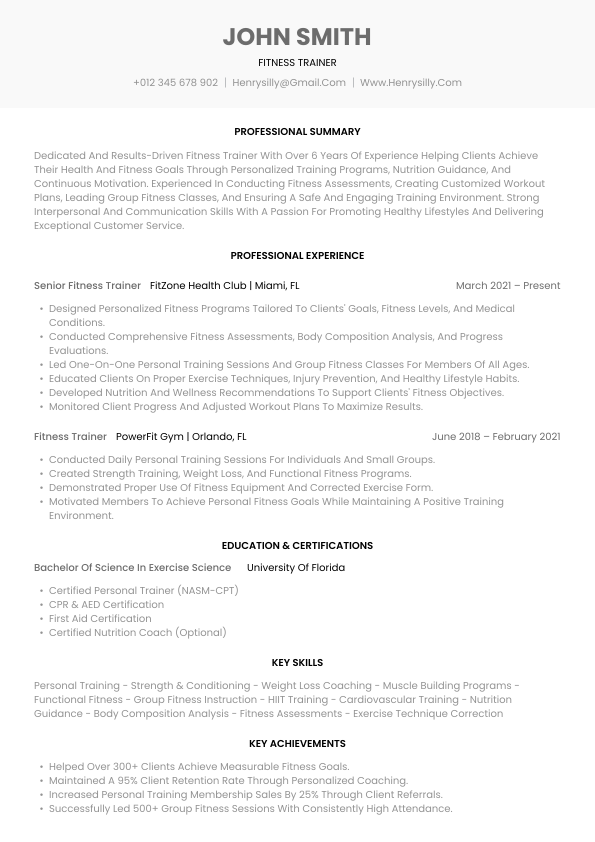
An ATS-safe template is single-column, uses standard headings, real text (not images), consistent date formatting, and no tables, text boxes, columns, headers/footers or graphics. Design should live in typography, spacing and subtle rule lines — not in layout complexity.
The Three ATS-Compatible Resume Formats
| Format | Best for | ATS safety |
|---|---|---|
| Reverse-chronological | 90% of candidates; steady career progression | Highest — parsers are built for it |
| Combination / hybrid | Career changers, senior specialists | Safe if experience stays dated and chronological |
| Functional (skills-only) | Long gaps | Risky — no dated timeline means experience filters may skip you |
Recommendation: default to reverse-chronological unless you have a specific reason not to.
Template Elements to Keep
- One column, top-to-bottom reading order
- Standard section headings: Summary, Work Experience, Skills, Education, Certifications
- Bullet points using the standard bullet character (•)
- Consistent date format:
MM/YYYY – MM/YYYYorMonth YYYY – Month YYYY - Contact details in the body of the document, on the first line
- 1-inch (2.5 cm) margins, 10–12 pt body text
Template Elements to Remove
| Avoid | Use instead |
|---|---|
| Two-column layouts | Single column |
| Tables for skills or dates | Plain bulleted lists |
| Text boxes | Normal body text |
| Headers & footers | In-body contact block |
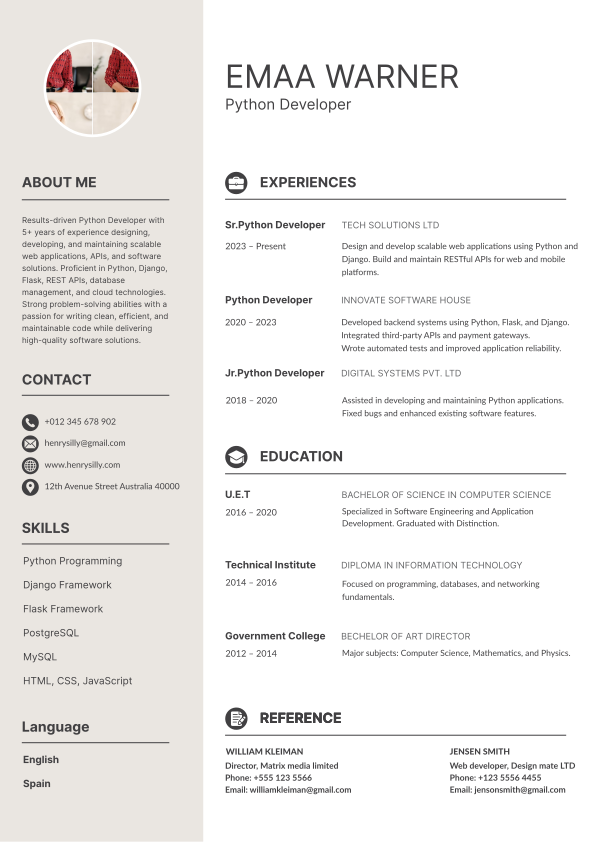
| Logos, photos, icons, charts | Text labels |
| Decorative fonts | Arial, Calibri, Helvetica, Georgia, Garamond |
| Skill rating bars/stars | Named proficiency: "Advanced," "Native" |
| Cramped 0.4" margins | 0.75"–1" margins |
Choosing a Template by Career Stage
- Entry-level / fresher: Education first, then projects, internships, skills. One page.
- Mid-level (3–8 yrs): Summary → Work Experience → Skills → Education. One to two pages.
- Senior / leadership: Summary → Core Competencies → Work Experience with scope metrics → Education. Two pages is fine.
- Career changer: Hybrid — a short skills-alignment block, then dated chronological history.
Build a parser-tested resume in minutes with AI Resume Lab's ATS resume templates every template is single-column, text-based and tested against real parsing engines.
Formatting for ATS Compatibility
ATS formatting means removing every visual element that carries meaning a text parser can't read. If information only exists as a shape, colour, position or image, the ATS doesn't see it. Which File Type Should You Use?
In 2026, PDF is safe for the overwhelming majority of applicant tracking systems. Workday, Greenhouse, Lever, Ashby, iCIMS and SuccessFactors all parse PDFs reliably. The older guidance that "ATS can't read PDFs" dates to legacy systems and has been widely repeated long after it stopped being true.
The rules that still apply:
| File type | Verdict |
|---|---|
| .pdf (text-based, exported from a word processor) | Recommended default — preserves layout, parses cleanly |
| .docx | Safe universal fallback; use if the posting requests Word |
| .doc | Legacy; only if explicitly requested |
| .txt | Parses perfectly, looks terrible to the human reader |
| Scanned or image-based PDF | Zero text layer — parses as an empty document |
| .pages, .odt, .jpg, .png | Frequently unsupported |
Quick self-test: open your PDF, press Ctrl+F and search for your own job title. If it doesn't highlight, the ATS can't read it either.
Always follow the job posting. If it says "Word document only," send .docx. Naming convention: Firstname-Lastname-Job-Title.pdf.
Fonts, Sizing and Spacing
- Fonts: Arial, Calibri, Helvetica, Georgia, Garamond, Times New Roman, Verdana
- Body size: 10–12 pt · Headings: 13–16 pt
- Line spacing: 1.0–1.15
- Margins: 0.75"–1"
- Emphasis: bold only. Skip underlining and heavy italics; avoid ALL CAPS beyond section headings.
Section Headings the Parser Recognises
Use the boring, expected labels — creativity here costs you data.
| Creative | Standard |
|---|---|
| My Journey / Where I've Been | Work Experience |
| What I Bring / Superpowers | Skills |
| Academic Adventures | Education |
| Let's Connect | Contact |
| Beyond the Desk | Interests |
Essential Resume Sections for ATS
In this order:
Contact block — full name, phone with country code, professional email, city + country, LinkedIn URL as plain textProfessional summary — 3–4 lines, keyword-rich, tailored to the role
Work experience — Job Title | Company | Location | MM/YYYY – MM/YYYY, then 3–5 achievement bullets
Skills — a plain comma-separated or bulleted list; hard skills first
Education — degree, institution, graduation year
Certifications / Projects / Publications — as relevant
Common ATS Formatting Pitfalls
- Contact info stranded in the document header
- Multi-column layouts scrambling reading order
- Tables used for skills, dates or contact details
- Skill-level graphics with no text equivalent
- Inconsistent date formats across roles
- Hidden white-text keyword stuffing — detectable, and an instant blacklist at most employers
- Spelling errors in keywords (the parser matches exact strings; "Pyhton" scores zero)
Key Parameters to Focus On in an ATS Resume
The parameters that most influence your ATS outcome are parse accuracy, keyword match rate, job title alignment, quantified achievements, date consistency, skills coverage and file integrity. Here's how to control each one.
1. Parse Accuracy
Everything else is downstream of this. If the parser drops your employment history, no amount of keyword work saves you. Test before you send (see the testing section below).
2. Keyword Match Rate
Aim for 60–80% coverage of the required skills listed in the job description.
How to build your keyword list?
- Paste the job description into a document.
- Highlight every hard skill, tool, certification, methodology and job title.
- Note terms repeated more than once — they're weighted heavier.
- Map each one to a real achievement you can evidence.
- Place them naturally across your summary, experience bullets and skills section.
Use the employer's exact phrasing. Parsers match strings, not meaning. If the posting says "Google Analytics 4," don't write "GA4" alone write "Google Analytics 4 (GA4)" to capture both. Same logic for "Search Engine Optimization (SEO)," "Customer Relationship Management (CRM)."
3. Job Title Alignment
Recruiters search the ATS database by job title. If your internal title was "Growth Ninja" but the market title is "Digital Marketing Specialist," bridge it:
Digital Marketing Specialist (internal title: Growth Ninja) | Company | 2023 – Present
Never invent a title you didn't hold align it, don't fabricate it.
4. Quantified Achievements
Recruiters scan for numbers, and LLM-based screening tools weight measurable outcomes heavily. Convert duties into results:
- "Responsible for managing social media accounts."
- "Managed 6 social media accounts, growing combined followers from 12K to 48K in 9 months and lifting engagement rate 3.2%."
Numbers to reach for: %, currency, volume, team size, timeframe, scale, frequency.
5. Skills Coverage (Hard vs Soft)
Weight roughly 70% hard skills, 30% soft skills. Hard skills are what the ATS filters on; soft skills are what the recruiter reads.
- Hard: Python, SQL, Salesforce, Figma, GA4, Kubernetes, IFRS, HubSpot
- Soft: stakeholder management, cross-functional collaboration, mentoring
Group hard skills into subcategories (Technical / Tools / Languages) for readability — but keep them as plain text lists, not tables.
6. Date Formatting and Gaps
Use one format throughout. Include month and year. Account for gaps of 6+ months with a brief honest line (Career Break Caregiving, 2023–2024) rather than leaving an unexplained hole in the timeline.
7. Length and Relevance
| Experience | Pages |
|---|---|
| 0–3 years | 1 |
| 3–10 years | 1–2 |
| 10+ / senior / academic | 2–3 |
Cut roles older than 12–15 years to a one-line "Earlier Career" summary.
8. Tailoring Rate
One resume for 50 applications is the single biggest reason for silent rejections. Tailor the summary, the skills block, and the top 2–3 bullets of your most recent role for every application. That's 15 minutes, and it's the highest-ROI work in your job search.
The Power Words / Action Words Rule in an ATS Resume
The action-word rule: start every experience bullet with a strong past-tense verb, follow it with the task, and end with a measurable result. Weak openers like "Responsible for," "Worked on," "Helped with" and "Duties included" waste the most-scanned position on the line and describe responsibility rather than impact.
The Formula
[Action verb] + [what you did] + [tool/method] + [quantified result]
Example:
Redesigned the onboarding email sequence using HubSpot workflows, increasing activation rate from 34% to 51% in one quarter.
Power Words by Category
Leadership & ownership Led, Directed, Spearheaded, Oversaw, Championed, Coordinated, Supervised, Mentored, Chaired, Delegated
Achievement & growth Achieved, Increased, Grew, Exceeded, Accelerated, Doubled, Surpassed, Delivered, Generated, Boosted
Building & creating Built, Developed, Designed, Launched, Engineered, Architected, Established, Founded, Implemented, Produced
Improvement & efficiency Optimized, Streamlined, Automated, Refined, Reduced, Consolidated, Standardized, Simplified, Restructured, Upgraded
Analysis & research Analyzed, Evaluated, Audited, Diagnosed, Forecasted, Measured, Investigated, Modeled, Benchmarked, Identified
Communication & influence Presented, Negotiated, Advised, Persuaded, Advocated, Authored, Facilitated, Trained, Consulted, Briefed
Problem-solving Resolved, Troubleshot, Overhauled, Remediated, Mitigated, Corrected, Debugged, Recovered
Weak Phrases and Their Upgrades
| Weak | Strong |
|---|---|
| Responsible for managing | Managed / Directed |
| Helped with | Supported / Enabled / Contributed to |
| Worked on | Developed / Executed / Delivered |
| Was involved in | Led / Coordinated |
| Duties included | (delete — start with the verb) |
| Assisted in creating | Co-created / Produced |
| Tried to improve | Improved / Increased |
Action Word Rules to Follow
Past tense for past roles, present tense for your current role. Stay consistent within each job.Never repeat a verb twice in the same role , and no more than twice across the whole resume.
Don't start bullets with "I." Resumes use implied first person.
Match verb strength to reality. "Spearheaded" for a task you supported reads as inflation in an interview.
Mirror the job description's verbs where they're genuine if the posting says "orchestrate cross-functional launches," "Orchestrated" is a legitimate keyword match.
How to Test Your Resume for ATS Compliance?
Run these four checks before every submission:
The copy-paste test. Open your PDF, select all, copy, paste into a plain text editor. If sections are jumbled, out of order, or missing — the ATS sees that same mess. This catches 90% of parsing failures in 30 seconds.The Ctrl+F test. Search for your job title, top three skills and your email. All should highlight.
The keyword gap check. Compare your resume against the job description and confirm 60–80% of required skills appear.
Run an ATS scan. Use a resume checker to get a match score and a list of missing keywords before you apply, not after.
Scan your resume free with the AI Resume Lab ATS Resume Checker get your parse score, keyword gaps and formatting warnings in under a minute.
ATS Resume Checklist
- [ ] Single-column layout, no tables or text boxes
- [ ] Contact details in the document body, not the header
- [ ] Standard section headings (Work Experience, Skills, Education)
- [ ] Text-based PDF or .docx — never a scan or image
- [ ] Standard font, 10–12 pt, 0.75"–1" margins
- [ ] Consistent
Month YYYY – Month YYYYdates throughout - [ ] 60–80% of the job description's required skills present
- [ ] Acronyms written in full with the short form in brackets
- [ ] Every bullet opens with a strong action verb
- [ ] At least one quantified result per role
- [ ] No verb repeated more than twice
- [ ] Zero spelling errors — especially in skill names
- [ ] Passes the copy-paste test
- [ ] File named
Firstname-Lastname-Job-Title.pdf
Frequently Asked Questions
Q1. What does ATS stand for on a resume?
ATS stands for Applicant Tracking System recruitment software that parses, stores and ranks job applications so recruiters can search and filter candidates in a database.
Q2. Can an ATS read a PDF resume?
Yes. Modern applicant tracking systems including Workday, Greenhouse, Lever, iCIMS and Ashby parse text-based PDFs reliably. The exception is scanned or image-based PDFs, which contain no text layer and parse as empty documents. If a job posting specifically requests a Word file, send .docx.
Q3. How many keywords should an ATS resume include?
Target 60–80% coverage of the hard skills and requirements listed in the job description, placed naturally across your summary, experience bullets and skills section. Keyword stuffing including hidden white text is detectable and gets applications blacklisted.
Q4. What is the best font for an ATS resume?
Arial, Calibri, Helvetica, Georgia, Garamond and Times New Roman all parse reliably. Use 10–12 pt for body text and 13–16 pt for headings. Avoid decorative, script or condensed fonts.
Q5. Do ATS systems reject resumes automatically?
Rarely on content alone. Most systems rank and surface candidates rather than auto-rejecting them. Automatic rejection usually comes from knockout questions work authorisation, location, minimum qualifications not from your resume formatting. Poor formatting doesn't reject you; it buries you.
Q6. Is a one-page resume required for ATS?
No. Length is a human-readability concern, not a parsing one. Use one page for 0–3 years of experience, one to two pages for 3–10 years, and up to three for senior or academic profiles.
Q7. Should I use a resume template from Canva or Word?
Most Canva and decorative Word templates use text boxes and multi-column layouts that break parsing. Use a template built specifically for ATS compatibility, or run the copy-paste test before you rely on any design.
Q8. Do ATS systems read images and logos?
No. Images, logos, photos, icons and charts carry no text value and are skipped entirely. Any information shown only as a graphic like skill rating bars is invisible to the parser.
Final Takeaway
An ATS resume isn't a stripped-down, uglier version of a real resume it's a clearly structured one. Single column, standard headings, real text, exact keywords from the posting, strong verbs and quantified results. Get those right and the same document that ranks well with the software also reads well to the recruiter it reaches.
Next step: pick an ATS-friendly template, tailor it to one specific job posting, then run it through an ATS checker before you apply.