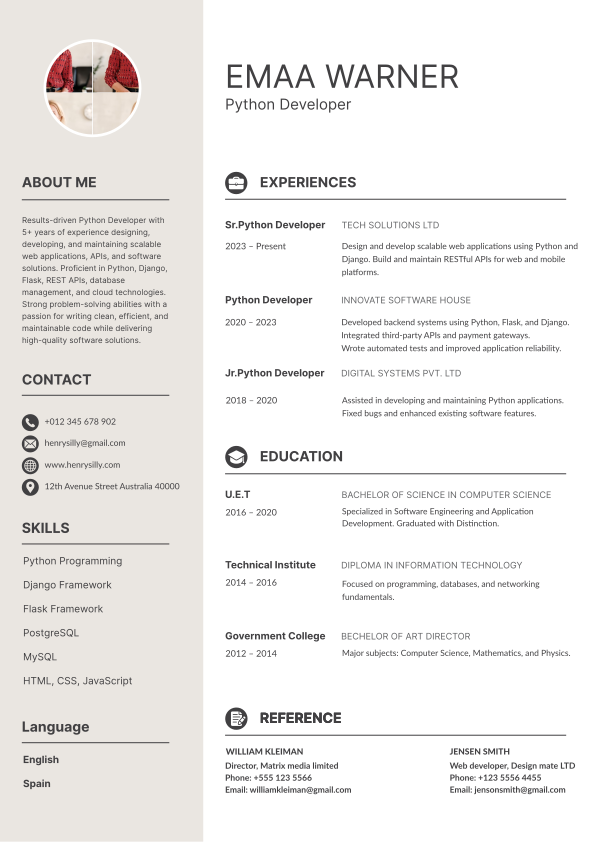
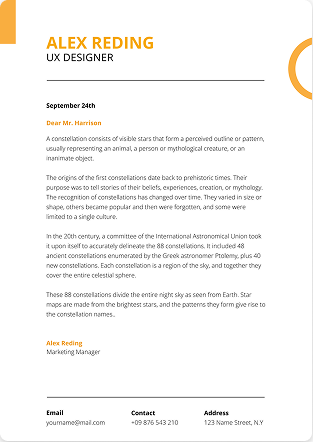
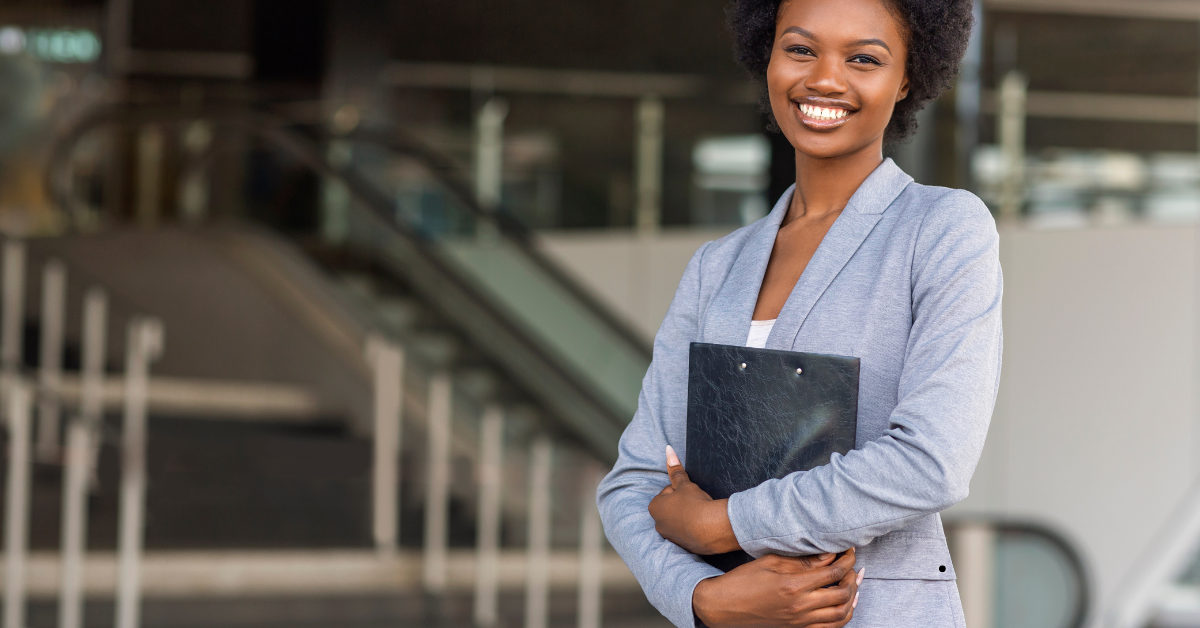
A CV photo maker (free) helps you turn an ordinary picture into a clean, professional headshot for your resume cropping it correctly, fixing the background, and exporting it in the right format. Many free online tools now use AI to do this in seconds. But before you add one, it's worth knowing whether you should include a photo at all, since that depends on where you're applying. Below guide covers when to use a CV photo, what makes a good one, and how to create and edit it for free.
Key Takeaways
- A free CV photo maker crops, edits, and formats your photo into a professional headshot often with AI and a background remover built in.
- Whether to include a photo depends on your country expected in much of Europe, the Middle East, and Asia, but discouraged in the US, UK, and Canada.
- A great CV photo needs good lighting, a neutral background, professional attire, and a clear, high-resolution crop.
- You can create, edit, and export a resume photo to PDF or Word format using free online tools.
Should You Put a Photo on Your CV?
This is the first question to settle adding a photo isn't always the right move, and it can even hurt your chances in some countries.
Where a Photo Is Expected
In many regions, a professional CV photo is standard and employers expect one:
Europe (especially Germany, France, Spain, and much of the continent)The Middle East and GCC (UAE, Saudi Arabia, Qatar)
Much of Asia, Africa, and Latin America
Where a Photo Is Discouraged
In these markets, a resume with photo (free or not) can work against you it risks unconscious-bias claims and can confuse applicant tracking systems (ATS):
United StatesUnited Kingdom, Ireland
Canada and Australia
A safe rule: match local norms. If you're unsure, leave the photo off most ATS-driven hiring in English-speaking markets prefers a clean, text-only CV. (For how resume expectations shift by region, see our guide on how many pages a resume should be, which covers country norms.)
What Makes a Professional CV Photo?
If a photo is appropriate, quality matters. A polished, professional CV photo shares these traits:
Clear framingA head-and-shoulders crop, with your face taking up most of the frame and a little space above your head.
Neutral background
A plain white, grey, or soft-blue background keeps the focus on you (a background remover makes this easy).
Good lightingSoft, even, natural light; avoid harsh shadows and overexposure.
Professional attireDress as you would for the role. A professional CV photo for a woman or man typically means business or business-casual clothing in solid, muted colors.
Natural, approachable expressionA relaxed, confident look or a slight smile; look straight at the camera.
High resolutionSharp and clear, never pixelated or blurry, sized correctly so it doesn't distort.
How to Make a CV Photo for Free (Step by Step)
You don't need a professional studio. Here's how to create a formal picture for your resume for free:
- Take a well-lit photo. Stand facing a window in soft daylight, against a plain wall, with your phone at eye level. Ask someone to take it, or use a timer.
- Choose a free CV photo maker. Pick a free online tool or app many offer AI headshot features that clean up your photo automatically.
- Crop to head-and-shoulders. Frame it as a portrait, centering your face.
- Fix the background. Use a background remover or editor to swap a messy backdrop for a clean, neutral one.
- Adjust lighting and color. Brighten, balance, and sharpen so you look natural and professional.
- Export in the right size and format. Save a high-resolution copy to drop into your CV (PDF or Word — see below).
Key Features of a Good Free CV Photo Maker
When choosing a CV photo maker free tool, look for these features:
AI photo enhancement.A good CV photo maker (free, AI-powered) can auto-retouch lighting, sharpen details, and even generate a professional headshot from a casual selfie.
Background remover.A built-in background remover instantly deletes cluttered backdrops so you can add a clean, professional one.
CV photo background editor.A CV photo background editor lets you replace the background with white, grey, or blue in a click.
Cropping and resizing.Preset resume-photo dimensions keep your image the right shape and proportion.
Retouching tools.Subtle smoothing and brightness controls enough to look polished, not artificial.
Free download.The best tools offer a CV photo maker free download or export without a paywall or watermark.
Editing Your Resume Photo Online for Free
Already have a photo? You just need to clean it up. A formal picture for resume editor (free) or a resume photo editor online (free, PDF-ready) lets you:
- Remove or replace the background for a neutral, professional look.
- Crop and straighten to a proper head-and-shoulders portrait.
- Adjust brightness, contrast, and sharpness so you look your best.
- Retouch lightly to fix distractions without over-editing.
- Export cleanly as a high-resolution image or straight into a PDF-ready file.
Keep edits subtle the goal is a photo that looks like a great version of you, not a filtered or artificial one.
Adding Your Photo to a Resume (Word & PDF Format)
Once your photo is ready, place it correctly:
Resume with photo in Word format:Insert the image in the top corner or header, size it to head-and-shoulders proportions, and use text-wrapping so it doesn't push your content around. Keep the file editable if the employer requests Word.
PDF format:Export your finished CV to PDF so the photo and layout stay locked in place across devices. A resume photo editor online (free, PDF) export ensures nothing shifts when the employer opens it.
Placement tips:Keep the photo small and unobtrusive it should support your CV, not dominate it. Never let it interfere with your name, contact details, or an ATS's ability to read your text.
ATS tip: If you're applying in a market that uses ATS heavily (like the US or UK), a photo can cause parsing problems. When in doubt, send a clean, text-only version.
Common CV Photo Mistakes to Avoid
- Using a casual or cropped social photo — selfies, holiday snaps, or group-photo crops look unprofessional.
- Busy or distracting backgrounds — always use a clean, neutral backdrop.
- Poor lighting — dark, shadowy, or overexposed photos undermine your image.
- Over-editing — heavy filters and unnatural smoothing look fake.
- Wrong size or low resolution — blurry or stretched photos hurt more than help.
- Adding a photo where it's discouraged — in the US, UK, and Canada, a photo can get your CV screened out.
Frequently Asked Questions
What is a CV photo maker?
It's a tool often free and AI-powered that turns an ordinary photo into a professional resume headshot by cropping it, cleaning up the background, adjusting lighting, and exporting it in the right format.
Is there a free CV photo maker with AI?
Yes. Many free online tools use AI to enhance lighting, retouch, remove backgrounds, and even generate a professional headshot from a casual selfie.
Should I put a photo on my CV?
It depends on your country. Photos are expected in much of Europe, the Middle East, and Asia, but discouraged in the US, UK, Canada, and Australia due to bias and ATS concerns. Match local norms.
How do I remove the background from my CV photo?
Use a free background remover or CV photo background editor to delete the existing backdrop and replace it with a clean white, grey, or blue background.
Can I add a photo to a resume in Word format?
Yes. Insert the image in the header or top corner, size it to head-and-shoulders proportions, and use text-wrapping. Export to PDF to lock the layout in place.
What size should a CV photo be?
A head-and-shoulders portrait crop, high-resolution and correctly proportioned so it doesn't stretch or pixelate. Keep it small enough not to crowd your CV content.
The Bottom Line
A free CV photo maker makes it easy to create a professional, well-edited resume photo with AI enhancement, a background remover, and PDF or Word export. Just remember the most important step comes first: decide whether a photo belongs on your CV at all, based on where you're applying. When it does, keep it clean, professional, and subtle.
Ready to build the rest? Create your CV with AI AI Resume Lab helps you build a clean, professional, ATS-friendly resume, and you can learn what makes a resume stand out with or without a photo.