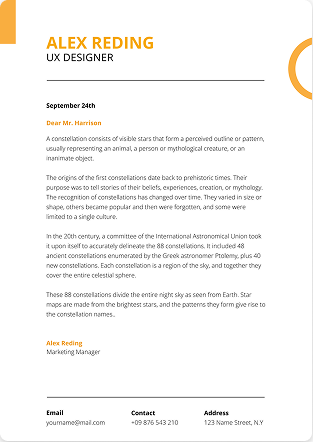

How many pages should a resume be? For most people, one page especially with under 10 years of experience. Mid-career and senior professionals can use two pages, and only academics, executives, or federal applicants should reach three. The real rule isn't a page count; it's relevance: every line must earn its place. This guide breaks down the ideal resume length by experience level, industry, and country.
Key Takeaways
- Entry-level (0–3 years): 1 page.
- Mid-career (4–10 years): 1–2 pages, depending on relevant achievements.
- Senior (10–15 years): 2 pages.
- Executive/academic: 2–3 pages, only when the content justifies it.
- Length follows relevance and quality, not seniority alone. A sharp one-pager beats a padded two-pager every time.
How Many Pages Should a Resume Be? (Quick Answer)
There's no single number your ideal length depends on how much relevant experience you have. Here's the fast reference:
| Experience level | Recommended length | Focus |
|---|---|---|
| Entry-level (0–3 yrs) | 1 page | Education, internships, projects, skills |
| Mid-career (4–10 yrs) | 1–2 pages | Impact and measurable achievements |
| Senior (10–15 yrs) | 2 pages | Leadership, results, scope |
| Executive (15+ yrs) | 2–3 pages | Strategic impact, board roles, transformations |
| Academic / research | 3+ pages (CV) | Publications, grants, teaching |
If you're just starting out, our guide on how to write a resume with no experience shows how to fill one strong page without padding.
Why Does Resume Length Matter?
Because attention is scarce. Recruiters spend roughly 6–7 seconds on a first scan, and applicant tracking software filters before a human ever looks. Get the length wrong and you either lose them in clutter or look inexperienced.
- Too long: buries your best achievements and wastes recruiter time.
- Too short: signals thin experience and leaves the "why hire you" question unanswered.
- Just right: every line supports your application, and your strongest wins sit on page one.
Resume Length by Experience Level
Entry-Level & Fresh Graduates (0–3 years): One Page
With limited work history, one page is expected. Lead with education, internships, academic projects, and relevant skills and prove impact with numbers even in non-work settings. Padding with filler actually lowers your credibility. Freshers should also nail their intro: see what to write in the "About Me" section for freshers.
Mid-Career (4–10 years): One or Two Pages
You have flexibility. Stay on one page if your experience is narrow and directly relevant; move to two if you've held multiple roles with distinct, quantified achievements. The test for page two: is it as strong as page one? If not, cut it.
Senior Professionals (10–15 years): Two Pages
Your depth justifies the space. Put your most impressive results and current role on page one, and earlier positions plus specialized credentials on page two. Page one should still stand on its own many hiring managers stop there.
Executives (15+ years): Two to Three Pages
Leadership history, board positions, and organizational impact can warrant three pages but only if it tells a coherent growth story. Summarize roles older than 15 years in a single line and keep the metrics front and center.
How Many Pages Should a Resume Be by Industry?
Hiring cultures differ. Here's a quick length guide across resume industries:
| Industry | Typical length | Notes |
|---|---|---|
| Software Development | 1 page (2 for senior) | Link to GitHub/portfolio; keep it brief |
| Information Technology | 1–2 pages | Certifications and key projects matter |
| Engineering | 1–2 pages | Technical projects and achievements |
| Financial Services / Banking | 2 pages | Detail and quantified metrics expected |
| Healthcare / Medical | 2–3 pages | Licenses, certifications, clinical detail |
| Legal | 1–2 pages (3 for senior) | Practice areas, case outcomes, bar admissions |
| Advertising, Marketing & PR | 1–2 pages | Pair with a portfolio; show campaign results |
| Sales | 1 page | Lead with numbers: quota, revenue, growth |
| Education | 1–2 pages | Teaching experience and certifications |
| Research / academia | 3+ pages (CV) | Publications, grants, presentations |
| Human Resources | 1–2 pages | Programs managed, key accomplishments |
| Hospitality / Retail | 1 page | Customer service and results, concise |
| Building & Construction | 1–2 pages | Safety certs and project experience |
| Government | 2–3 pages | Federal resumes run long by design |
Resume Length by Country
Length norms shift by region — important if you're applying abroad:
- United States: 1–2 pages. Recruiters prize brevity and measurable results.
- UK, Canada & Australia: 2–3 pages. More detailed work history is accepted (often called a CV).
- GCC (UAE, Saudi Arabia, Qatar): 2–3 page CVs, usually with a professional summary and additional personal details per local norms.
- Europe: Often the standardized Euro pass CV, which can run 3–4 pages.
- India & South Asia: 1–3 pages, frequently with a career objective and standard personal details.
Always match the format the local market expects rather than assuming a global one-page rule.
Does Resume Length Affect the ATS?
Not directly — an ATS reads a two- or three-page resume just fine. What hurts you is poor formatting and irrelevant filler, at any length. Keep it ATS-safe:
- Use a single-column layout with standard headings ("Experience," "Skills," "Education").
- Avoid tables, text boxes, and graphics for critical content they often don't parse.
- Put your name and contact info on every page (some systems split pages).
- Match keywords from the job description naturally throughout.
- Save as a text-based PDF unless the posting asks otherwise.
Before you apply, run it through the ATS Resume Checker to confirm everything is being read correctly. And tailor each version here's how to tailor your resume to a job description.
One Page vs Two Pages: When to Use Each
Stick to one page when you:
- Have under ~10 years of relevant experience
- Are a student, fresher, or career changer
- Are targeting a concise-first industry (tech, sales, retail, hospitality)
Go to two pages when you:
- Have 10+ years of directly relevant experience
- Have major achievements that genuinely need room
- Need to include publications, patents, or dense certifications
- Are applying for a senior or executive role
The 80% rule: whatever page count you choose, fill at least 80% of the final page. A page that's only half-full looks sparse tighten to one page instead of stretching to two.
How to Shorten Your Resume to One Page
- Drop your full address — city and country are enough.
- Cut "References available upon request" — it's assumed.
- Remove objective statements; use a tight 2–3 line summary or skip it.
- Turn duties into quantified achievements (fewer words, more impact). Start each with a strong verb see how to use action verbs in a resume.
- Summarize or cut roles older than 15 years.
- Delete outdated skills (e.g., "proficient in Microsoft Word").
- Reduce margins to ~0.5" and use a space-efficient font at 10.5–12pt.
- Group related skills into one section instead of scattering them start from strong skills to put on a resume.
The gut check for any line: would removing this hurt my chances? If not, cut it.
Common Resume Length Mistakes
- Padding for length's sake — a weak page two lowers credibility.
- Listing 20-year-old jobs that no longer support your target role.
- Job descriptions instead of achievements — show results, not duties.
- A weak first page on a longer resume — page one must be your strongest.
- Cramming text with no whitespace — it reads as cluttered and unprofessional.
Frequently Asked Questions
Q1. How many pages should a resume be for someone with 5 years of experience?
One page if your experience is focused and directly relevant; two pages if you've held several roles with distinct, quantified achievements. Keep your strongest wins on page one.
Q2. Should a fresh graduate's resume be one page?
Yes. With limited work history, one focused page is expected and shows you can communicate concisely.
Q3. Can a resume be three pages?
Rarely. Only academic CVs, federal/government resumes, or senior executives with extensive, relevant achievements justify three pages. For most job seekers, two pages is the maximum.
Q4. Does a two-page resume hurt you with recruiters?
No if the experience justifies it and both pages are relevant. Recruiters scan for fit regardless of page count.
Q5. Does resume length affect ATS ranking?
Length itself doesn't. Clean formatting, standard headings, and keyword relevance do. A well-formatted three-page resume parses as well as a one-pager.
Q6. What font size fits more on one page?
Use 10.5–12pt for body text and 13–16pt for headings. Never go below 10pt.
Final Verdict
There's no magic page count there's only relevance. Choose the shortest length that lets your strongest, most relevant achievements shine, fill at least 80% of the final page, and keep the formatting ATS-friendly.
Want the length decided for you? Build your resume with AI and AI Resume Lab will format it to the right length for your experience and industry then optimize your LinkedIn profile to match.