
The strongest keywords for administrative assistant on resumes are the exact skill terms from the job posting most commonly calendar management, scheduling, data entry, office administration, travel coordination, expense reporting, document preparation, Microsoft Office Suite, CRM, and vendor management. Place them in your professional summary, skills section, and inside quantified work-experience bullets. Keywords only score when they appear in context, not as a standalone list.
Applicant tracking systems don't read your resume the way a human does. They match your text against the terms in the job description and rank you accordingly. Below guide gives you the full keyword bank by role level, then shows you exactly where to put each term with resume examples, summary templates, and a complete sample for candidates with no experience.
Why Keywords Decide Whether Your Resume Gets Read?
Administrative roles attract high application volumes, so employers lean on ATS filtering harder here than in most fields. The system scans for terms tied to organisation, communication, software fluency and multitasking, then surfaces the closest matches to the recruiter.
Getting your keywords right does three things:
- Passes the filter — your resume reaches a human instead of stalling in the database.
- Proves scope — terms like board meeting preparation or vendor management signal seniority that "responsible for office tasks" never will.
- Shows technical fluency — naming Microsoft Office Suite, Google Workspace, QuickBooks or Salesforce confirms you can work day one without training.
The mistake most candidates make is treating keywords as decoration. A term dropped into a skills list with no supporting evidence in your experience section reads as filler to recruiters and increasingly, to AI screening tools that check for context.
Top Keywords for Administrative Assistant on Resumes (Core List)
These terms appear in the majority of administrative job postings regardless of industry. Start here, then layer on the role-specific banks below.
| Category | Keywords |
|---|---|
| Scheduling & coordination | Calendar management, Appointment scheduling, Meeting coordination, Diary management, Conference room booking, Travel arrangements, Itinerary planning |
| Documentation | Document preparation, Filing and recordkeeping, Data entry, Records management, Minute taking, Report generation, Correspondence drafting |
| Office operations | Office administration, Office supply management, Inventory control, Vendor management, Facility coordination, Mail distribution, Front desk reception |
| Finance support | Expense reporting, Expense reconciliation, Invoice processing, Purchase orders, Budget tracking, Petty cash management |
| Communication | Client communication, Email management, Multi-line phone system, Customer service, Cross-functional coordination, Stakeholder liaison |
| Process | Workflow optimisation, Process improvement, Standard operating procedures (SOPs), Onboarding support, Project support, Confidentiality and discretion |
Keywords by Role Level
Entry-level administrative assistant keywords
Use these when you're a recent graduate or switching into admin work. They emphasise foundational office support rather than ownership.
Front desk reception · Answering phones · Basic data entry · Filing and document management · Customer service skills · Office supply management · Appointment scheduling · Meeting coordination · Multi-line phone system · Mail sorting and distribution · Visitor greeting · Microsoft Word and Excel · Google Workspace · Time management · Attention to detail
Executive assistant keywords
These signal high-level support, judgement and access to confidential information.
Executive support · Confidentiality and discretion · Complex calendar management · Board meeting preparation · Travel logistics (domestic and international) · Email management and inbox triage · Presentation preparation · Expense reconciliation · Gatekeeping · Meeting agendas and minutes · C-suite communication · Project support · Event coordination · Contract administration
Office manager keywords
Focused on operations ownership and team leadership.
Office operations · Team coordination · Vendor management · Facility management · Budget tracking and office budgeting · Inventory control · Supply chain coordination · HR support · Process improvement · Health and safety compliance · Lease and contract renewals · Staff onboarding · Payroll administration support · Policy implementation
HR administrative assistant keywords
Employee onboarding · HR documentation · Record maintenance · Payroll support · Employee file management · Interview scheduling · Benefits administration · Employee communication · HRIS data entry · Applicant tracking system administration · Compliance documentation · Confidentiality
Customer service administrative keywords
Customer support · Order processing · Client communication · CRM (Customer Relationship Management) · Problem resolution · Customer database management · Feedback collection · Front desk support · Email correspondence · Escalation handling · Service level agreements (SLAs)
Medical and legal administrative keywords
Medical: Patient scheduling · Medical records management · HIPAA compliance · Insurance verification · Electronic Health Records (EHR/EMR) · Medical billing support · Patient intake · Referral coordination
Legal: Legal document preparation · Case file management · Court filing · E-filing systems · Client intake · Docket management · Legal correspondence · Billable hours tracking
Software and Tool Keywords (Highest ATS Weight)
Software names are exact-match terms the ATS either finds them or it doesn't, so spell them the way the posting does.
| Category | Terms to list |
|---|---|
| Productivity | Microsoft Office Suite, Microsoft Word, Excel, PowerPoint, Outlook, Google Workspace (Docs, Sheets, Calendar) |
| Scheduling | Calendly, Doodle, Microsoft Bookings, Zoom, Microsoft Teams, Google Meet |
| Finance | QuickBooks, Expensify, Concur, SAP, Xero |
| CRM & sales | Salesforce, HubSpot, Zoho CRM |
| Project & docs | Asana, Trello, Monday.com, Notion, SharePoint, DocuSign, Adobe Acrobat |
| HR & ATS | Workday, BambooHR, ADP, Greenhouse |
Tip: If you know Excel at a functional level, name the function VLOOKUP, pivot tables, mail merge — rather than writing "advanced Excel." Specific terms match more job descriptions.
Action Verbs That Strengthen Every Bullet
Coordinated · Streamlined · Managed · Scheduled · Processed · Maintained · Prepared · Reconciled · Implemented · Organised · Liaised · Tracked · Consolidated · Audited · Facilitated · Standardised · Digitised · Onboarded
Avoid: responsible for, helped with, assisted in, duties included. These add words without adding keywords.
Where to Place Keywords (The 4-Zone Method)
| Zone | What goes here | Keyword density |
|---|---|---|
| Professional summary | 4–6 of your highest-value terms, in full sentences | Medium |
| Skills section | 12–18 terms in scannable groups | Highest |
| Work experience | Keywords embedded inside quantified achievements | Medium — this is where context is proven |
| Certifications & tools | Software names, credentials (CAP, MOS) | Exact match |
The matching step nobody skips who gets interviews: paste the job description into a word counter or highlight it manually. Any term repeated twice or more is a ranked keyword. Mirror those exact phrasings — if the posting says "diary management," don't write "calendar management" only. Include both if they both apply.
Don't: stuff a white-text keyword block, repeat the same term eight times, or list skills you can't discuss in an interview. Modern systems flag unnatural repetition, and recruiters test the claims.
Administrative Assistant Resume Skills (Hard + Soft)
Split your skills section so recruiters can scan it in two seconds.
Technical / hard skills
Calendar management · Data entry (60+ WPM) · Microsoft Office Suite · Google Workspace · Expense reporting · Records management · Travel coordination · Invoice processing · CRM administration · Minute taking · Database management · Document formatting
Soft skills (only with evidence elsewhere)
Written and verbal communication · Prioritisation under pressure · Attention to detail · Discretion and confidentiality · Problem solving · Adaptability · Stakeholder management · Proactive follow-through
Certifications worth naming
Certified Administrative Professional (CAP) · Microsoft Office Specialist (MOS) · Google Workspace certification · Notary commission (if applicable) · OSHA or First Aid, where the workplace requires it
Professional Summary for Administrative Assistant: Examples
Your summary is the highest-visibility real estate on the page. Keep it to 2–4 lines, lead with years of experience or your strongest asset, and work in 4–6 keywords naturally.
Experienced administrative assistant
Administrative Assistant with 6+ years supporting 20-person teams across scheduling, travel coordination and expense reporting. Manages complex calendars for three directors, processes 80+ monthly invoices in QuickBooks, and reduced office supply spend by 18% through vendor renegotiation. Proficient in Microsoft Office Suite, Google Workspace and Salesforce.
Executive assistant
Executive Assistant with 8 years supporting C-suite leadership in fast-paced technology environments. Handles complex international travel logistics, board meeting preparation and confidential correspondence for a CEO and CFO. Known for inbox triage that cut executive email handling time by 40%.
Entry-level / no experience
Detail-focused recent graduate seeking an Administrative Assistant role, with hands-on experience in front desk reception, appointment scheduling and data entry gained through university office work and volunteer coordination. Proficient in Microsoft Word, Excel and Google Workspace, with a 65 WPM typing speed and strong written communication.
Career changer (retail or hospitality background)
Organised professional transitioning into administrative support after 4 years in customer-facing retail operations. Experienced in scheduling for 15-person teams, cash reconciliation, inventory control and client communication. Fast learner in office software including Excel, Outlook and POS-adjacent database systems.
Office manager
Office Manager with 7 years running operations for a 60-employee office, covering vendor management, facility coordination, budget tracking and HR onboarding support. Implemented a digital filing system that cut document retrieval time by half and standardised SOPs across three departments.
Administrative Assistant Resume Examples: Work Experience Bullets
Keywords earn their weight when they sit inside a measurable result. Compare:
| Weak (no metric, no keyword) | Strong (keyword + metric) |
|---|---|
| Responsible for scheduling | Managed complex calendar scheduling for 4 senior managers, coordinating 60+ weekly meetings across 3 time zones |
| Helped with expenses | Processed and reconciled 120+ monthly expense reports in Concur, reducing reimbursement turnaround from 10 days to 4 |
| Did filing | Digitised 5,000+ paper records into SharePoint, cutting document retrieval time by 70% |
| Ordered supplies | Managed vendor relationships and office supply inventory for a 45-person office, lowering annual spend by 18% |
| Answered phones | Operated a multi-line phone system handling 70+ daily calls, routing enquiries with a 98% first-contact resolution rate |
| Booked travel | Coordinated domestic and international travel logistics for 12 executives, including visas, itineraries and expense pre-approvals |
Quantify with whatever you have: number of people supported, calls or emails handled, documents processed, budget managed, time or cost saved, error rate reduced.
Sample Resume for Administrative Assistant With No Experience
No experience doesn't mean no evidence. Pull from coursework, volunteering, part-time work, student societies and family business help — then describe it in administrative language.
JORDAN REYES City, State · (000) 000-0000 · [email protected] · linkedin.com/in/username
PROFESSIONAL SUMMARY Detail-focused recent graduate seeking an Administrative Assistant role. Experienced in appointment scheduling, data entry and front desk reception through university department work and volunteer event coordination. Proficient in Microsoft Office Suite and Google Workspace with a 65 WPM typing speed.
SKILLS Data entry · Appointment scheduling · Front desk reception · Microsoft Word, Excel, PowerPoint, Outlook · Google Workspace · Filing and recordkeeping · Multi-line phone system · Customer service · Minute taking · Attention to detail
EXPERIENCE Student Office Assistant (Part-time) — University Admissions Office · Sep 2024 – May 2026 • Handled front desk reception for 40+ daily visitors, answering enquiries and directing students to the correct department • Entered and verified 1,200+ applicant records in the university database with a 99% accuracy rate • Scheduled 25+ weekly advisor appointments using shared Outlook calendars
Volunteer Events Coordinator — Campus Student Union · Jan 2025 – May 2026 • Coordinated logistics for 8 campus events with up to 200 attendees, including venue booking and vendor communication • Maintained attendance records and prepared post-event summary reports for the executive committee
Retail Sales Associate — Local Retailer · Jun 2023 – Aug 2024 • Reconciled daily cash drawers averaging $2,000 with zero variance across 12 months • Managed inventory counts and restocking schedules for two product categories
EDUCATION Bachelor of Arts in Communications — State University, 2026 Relevant coursework: Business Writing, Office Technology, Data Management
CERTIFICATIONS Microsoft Office Specialist (MOS): Excel Associate — 2026
Three rules for the no-experience version: lead with skills rather than a thin work history, translate every past task into admin vocabulary, and add a free certification (MOS or a Google Workspace course) so your Certifications section isn't empty.
Format and File Type: Word, PDF, or Template?
Admin assistant CV format in Word
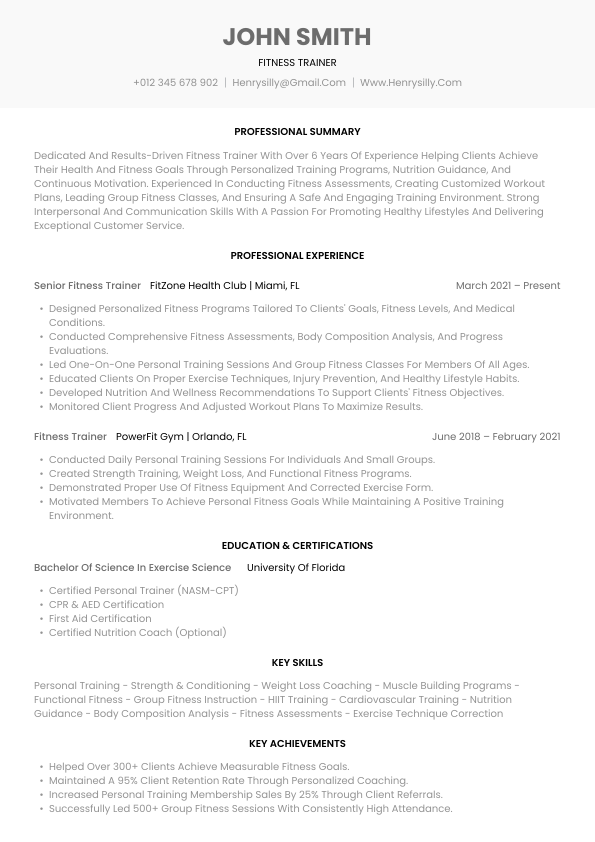
Word (.docx) is the safest format when a posting doesn't specify one, and it's what most recruiters at staffing agencies ask for because they need to edit or rebrand your document. Keep the Word file simple: single column, standard headings (Professional Summary, Skills, Experience, Education, Certifications), a standard font at 10–12pt, and no text boxes, tables-as-layout, headers/footers with critical information, or graphics — ATS parsers frequently drop content trapped inside those elements.
Administrative assistant resume PDF
PDF preserves your formatting exactly and is the better choice when applying directly through a company careers page or emailing a hiring manager. Two conditions: export it as a text-based PDF (from Word or a builder, never as a scanned image), and confirm the posting doesn't restrict file types. If the application form only accepts .doc/.docx, don't force a PDF.
Quick rule: agency or unknown ATS → Word. Direct employer application or email → PDF.
Administrative assistant resume template free
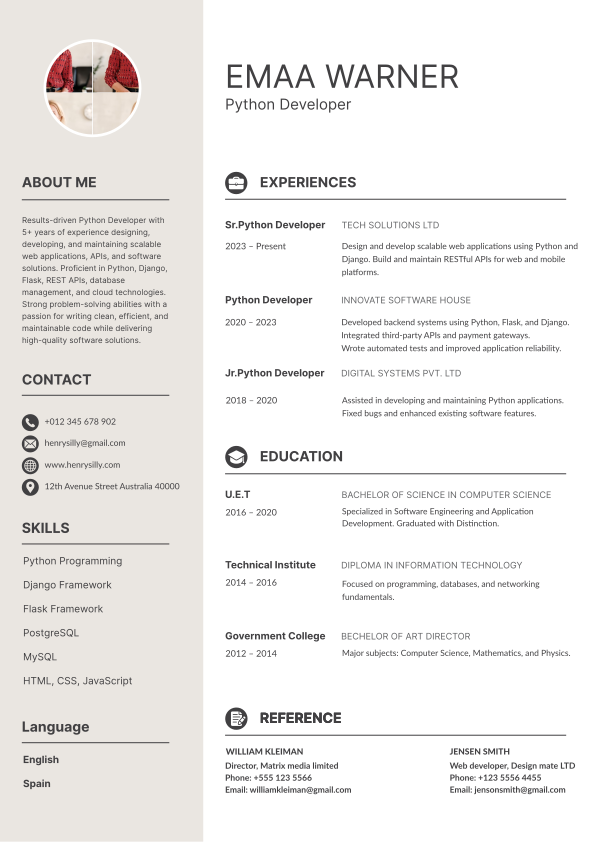
A free template saves layout time, but check it against three criteria before you commit: single-column body, selectable text (open it and try highlighting), and standard section headings. Two-column templates with sidebars are the most common cause of scrambled ATS parsing the parser reads across both columns and merges unrelated lines.
Office assistant resume sample pdf
Office assistant and administrative assistant resumes overlap heavily, but office assistant roles skew toward facilities, supplies, mail and front-desk duties, while administrative assistant roles skew toward calendar, correspondence and executive support. If you're adapting an office assistant sample, swap in the scheduling and documentation keywords above so the resume matches the posting you're actually targeting.
Common Keyword Mistakes to Avoid
| Mistake | Why it costs you |
|---|---|
| Copying a generic keyword list without matching the posting | Generic terms rank lower than exact job-description matches |
| Keyword stuffing or hidden white text | Flagged as manipulation; instantly disqualifying with many recruiters |
| Listing skills with no supporting bullet | Reads as unverified; falls apart in interviews |
| Using only acronyms or only full forms | Write both on first use: Customer Relationship Management (CRM) |
| Burying keywords in a two-column sidebar | Parsers often skip or scramble sidebar content |
| Same resume for every application | Admin postings vary widely; one tailored version beats twenty generic sends |
| Ignoring the job title itself | Match your headline to the posted title — "Administrative Assistant," not "Office Ninja" |
Frequently Asked Questions
What are the best keywords for administrative assistant on resumes?
The highest-value terms are calendar management, scheduling, data entry, office administration, document preparation, travel coordination, expense reporting, records management, Microsoft Office Suite and CRM. Always add the exact terms repeated in the job posting you're applying to.
How many keywords should an administrative assistant resume include?
Aim for 15–25 distinct role-relevant keywords spread across your summary, skills section and experience bullets. Quality of match matters far more than volume ten exact matches from the posting outperform forty generic terms.
What are the most important administrative assistant resume skills?
Calendar and scheduling management, data entry accuracy, document and records management, Microsoft Office and Google Workspace proficiency, expense and invoice processing, and written communication. Discretion and prioritisation matter too, but only when your experience bullets demonstrate them.
How do I write a professional summary for an administrative assistant?
Use 2–4 lines: years of experience, the scope you support, one or two quantified results, and your core software. Example: "Administrative Assistant with 6+ years supporting 20-person teams across scheduling, travel and expense reporting, with 18% reduction in office supply spend."
How do I write a sample resume for an administrative assistant with no experience?
Lead with a skills-forward summary, then translate university work, volunteering, retail or hospitality experience into administrative language reception, scheduling, data entry, record maintenance, cash reconciliation. Add a free certification such as Microsoft Office Specialist to fill the Certifications section.
Should my administrative assistant resume be PDF or Word?
Use Word (.docx) for recruitment agencies and unfamiliar application portals, and PDF when applying directly to an employer or emailing a hiring manager. Either way, keep it single-column and text-based so the ATS can read it.
Is a free administrative assistant resume template ATS-safe?
Only if it uses a single-column layout, selectable text and standard section headings. Avoid templates with sidebars, icons replacing text, graphics-based skill bars, or content placed inside headers and footers.
What's the difference between an office assistant and an administrative assistant resume?
Office assistant resumes emphasise front desk, supplies, mail and facilities support. Administrative assistant resumes emphasise calendar management, correspondence, documentation and direct support to specific managers or executives. Match your keyword mix to whichever title the posting uses.
Do soft skills count as ATS keywords?
Yes terms like communication, attention to detail and time management appear in many postings and are scanned for. But list them only when a work-experience bullet backs them up, since recruiters discount unsupported soft-skill claims.
How do I tailor keywords for each application?
Read the posting twice and note every term that appears more than once, especially in the requirements section. Mirror that exact wording in your summary and skills, then rewrite two or three experience bullets so the same terms appear with a result attached.
Final Word
The right keywords for administrative assistant on resumes aren't a fixed list they're whatever the posting in front of you keeps repeating. Use the banks above as your source material, match them against each job description, and prove every term with a quantified bullet. That combination is what moves a resume from the database to the shortlist.
Build an ATS-ready administrative assistant resume in minutes — try AI Resume Lab free.